See what it really costs.
Hours of work. Cost per use. A share of your monthly budget. Put the price in a context that means something to you.
You worked for that money.
Find out if this purchase deserves it.
Worthi turns prices into hours of work, helps you weigh a purchase, and gives impulse buys a place to cool off.
Free to start Direct Android download

 Still worth it?
An illustration. Your time cost depends on your hourly pay.
Worthi helps you look past the price tag.
The next step is always yours.

Hours of work. Cost per use. A share of your monthly budget. Put the price in a context that means something to you.
Park a purchase in the Cooling-Off Vault. Come back after the timer and see if you still want it just as much.
Decided to pass? Log the money you didn’t spend. Your savings ledger makes those small decisions visible.
A price is a number. The hours behind it are yours.
Put in something you’re thinking about buying. Then see what it means in your own time.
A private little experiment. Your entries stay in this browser.
Try a purchase. See its real cost.
This purchase costs you
About 4.1 eight-hour workdays.
Switching currency loads a fresh example; it does not convert your amounts.

Still worth it?
You get to decide.
Interactive example · Local calculations, not an AI assessment.
A closer look at the app you’re downloading.
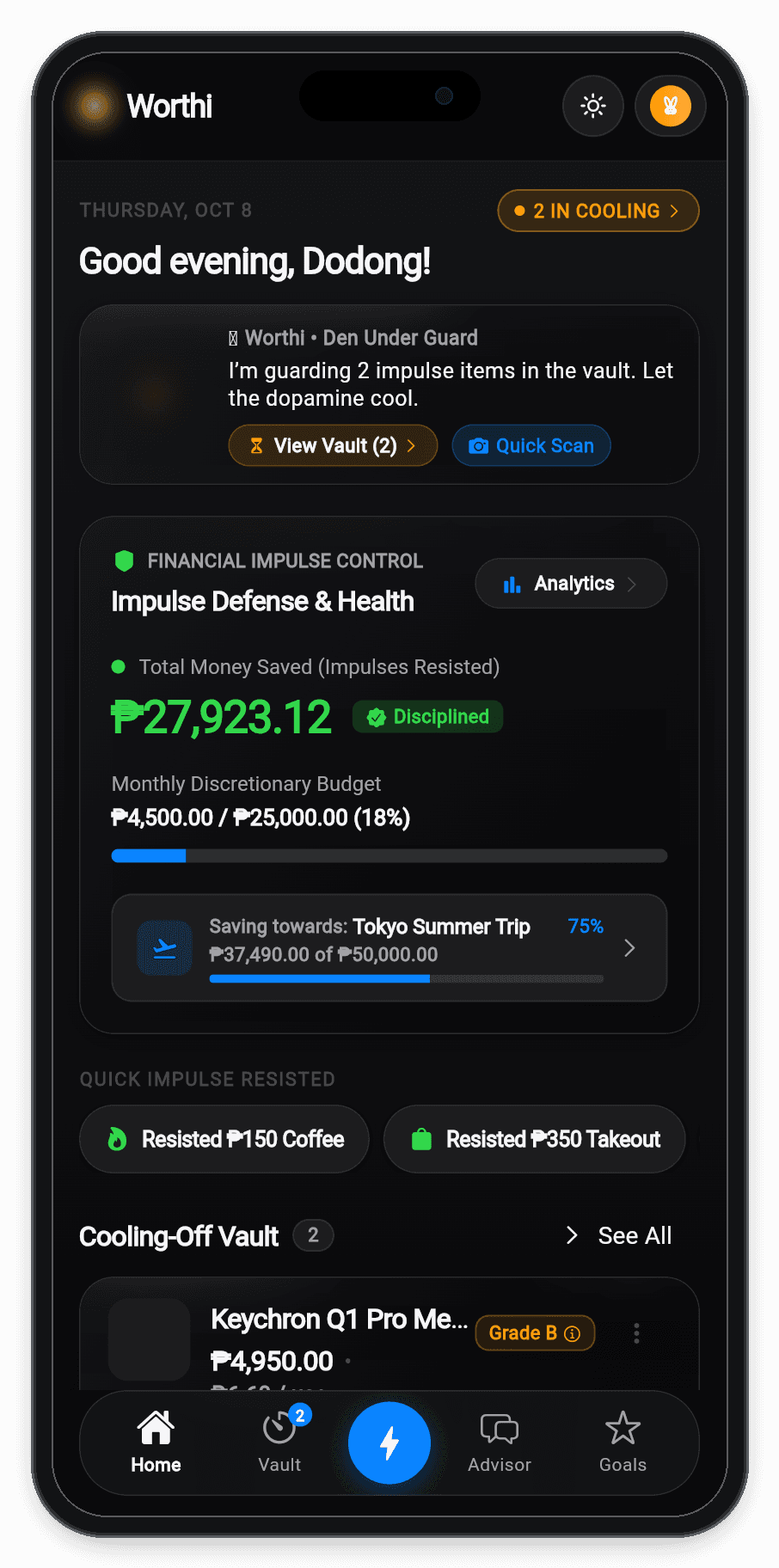
See your spending budget, savings goals, and purchases that are still cooling off. A reminder of what you’re saving for, before the next thing catches your eye.
Try Worthi first. Choose Pro if you need more room.
₱0to get started
For getting to know your purchase habits.
₱279/ month
For making reflection part of your routine.
Review pricing and activation options inside Worthi.
Clear answers before you download.
Worthi pauses purchase confirmations inside its own Cooling-Off Vault. It doesn’t control a store’s checkout or your bank account. The goal is to give you time and context to make your own decision.
The item’s price is divided by your hourly pay. A ₱4,950 purchase at ₱150 per hour represents 33 hours of work. The workday estimate uses eight hours per day. Cost per use divides the price by your expected total uses.
This page demonstrates the calculations with editable examples. Its verdict uses a local rule-based model, not a live AI evaluation. The app adds purchase assessments, a persistent vault, and your savings history. Results depend on the information you enter.
The app includes local calculations and a rule-based evaluation fallback. Online reasoning features need an internet connection. You can choose Private On-Device Mode for local evaluation.
The app stores your ledger and vault locally. Private On-Device Mode uses local evaluation. Online AI modes send purchase context to the configured reasoning service. This website calculator runs in your browser and doesn’t submit your entries.

Take Worthi with you for the next “add to cart.”
Download for AndroidVersion 2.1.0 · 72.5 MB · Free to start